A year and a half ago (an eternity in AI), I was getting into AI-assisted development. No Claude Code back then, Cursor was brand new, and I was asking chatbots to generate code that I’d then touch up with AI autocomplete (probably GitHub Copilot at the time).
I wrote 2 articles about it and the result… very disappointing:
- AI-powered development: Chrome extension with ChatGPT
- AI-powered development: Chrome extension with Gemini
Almost 2 years later, I had a real need: automate sharing articles I found interesting about AI applied to development. The idea is simple:
- I find an interesting article, one click on the Chrome extension sends the content to n8n
- n8n passes everything through an LLM that produces a structured summary
- the summary gets committed to the blog’s GitHub repo
- the site builds, the article is live
A huge time saver for my tech watch. To build everything I used Claude Code, my current go-to tool.
The Chrome extension
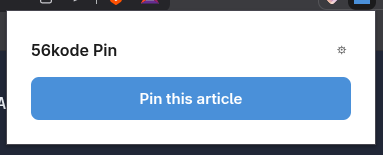
I started in plan mode: I explained to Claude what I wanted, he challenged me and made suggestions. My main constraints:
- one click on the extension grabs the page content (and only the content, no ads or nav), with the title and author, like Firefox’s reader mode
- once extracted, we send everything to my n8n webhook
Claude immediately pointed me to @mozilla/readability, the lib Mozilla uses internally for its reader mode. Exactly what I needed. For the popup he suggested several options: plain HTML/JS or Preact. I went with Preact, an ultra lightweight framework (3KB) compatible with React. Clearly overkill for a popup with a settings form and a button, but it’s nice to use and weighs nothing.
On the architecture side, Claude made smart choices from the start. Dynamic injection of the content script via chrome.scripting.executeScript instead of a static content_scripts in the manifest, so the script only runs when you click and not on every page visit. activeTab permission instead of <all_urls> to limit access to the active tab only. And DOM cloning before passing it to Readability so you don’t alter the page being read.
Once the technical choices were validated, we defined an execution plan split into 6 sequential tasks: project scaffolding (Vite + CRXJS + Manifest V3), shared types and test infra (Vitest + jsdom), content script with Readability, service worker for orchestration, popup UI in Preact, and final integration. Each task had its acceptance criteria and I validated manually before moving to the next one.
Development was fast. The core extension implementation took 4 commits, less than 30 minutes. Result: 827 lines of TypeScript and 25 unit tests covering content extraction, orchestration, response parsing and UI components.
We still hit 3 bugs, all during the refinement phase:
- Config autosave wasn’t working, the settings (webhook URL, secret token) weren’t persisting correctly in
chrome.storage.local. - Content extraction was crashing on some pages, the content script wasn’t sending data back to the service worker.
- Webhook error handling didn’t exist: when n8n returned an error (a duplicate article for example), the extension crashed instead of showing a clear message. We added structured JSON parsing for error responses.
Three bugs, a few minutes each to fix. The full code is on the public repo with the technical docs and Claude Code’s detailed plan.
The n8n workflow
n8n is clearly not the only option for this part. There are plenty of ways to do it (probably better ones), but I already had an instance sitting idle and some knowledge of it, so why not use it. Plus it gives me a centralized view of all my future automations and their executions…
But creating nodes by hand? No thanks. Having Claude generate the JSON to copy-paste into the UI? No thanks either. I wanted Claude Code to manage the workflows directly. An MCP basically. After some research I found n8n-mcp which does exactly that: Claude Code creates, modifies workflows and accesses execution logs without leaving the terminal.
Be careful though, it can break everything in your workflows, you really need to be careful and backup. I actually created a Claude Code skill /save-workflow that exports the workflow while hiding credentials so you can version it properly in git.
The final workflow is a 7-node pipeline. A Webhook receives the article sent by the extension with header authentication. It goes through an LLM Chain (Gemini 2.0 Flash via Vercel AI Gateway, temperature 0.3) that produces a structured JSON: title, SEO description, tags, relevance score and detailed markdown summary. A Parse & Validate node checks that the JSON is valid with all required fields. Build Markdown generates the file with the YAML frontmatter and an auto-generated slug. And GitHub Create File commits everything to the blog repo. Each node routes its errors to a dedicated Respond Error, so you know exactly where things broke. The cleaned-up workflow JSON is available on the repo.
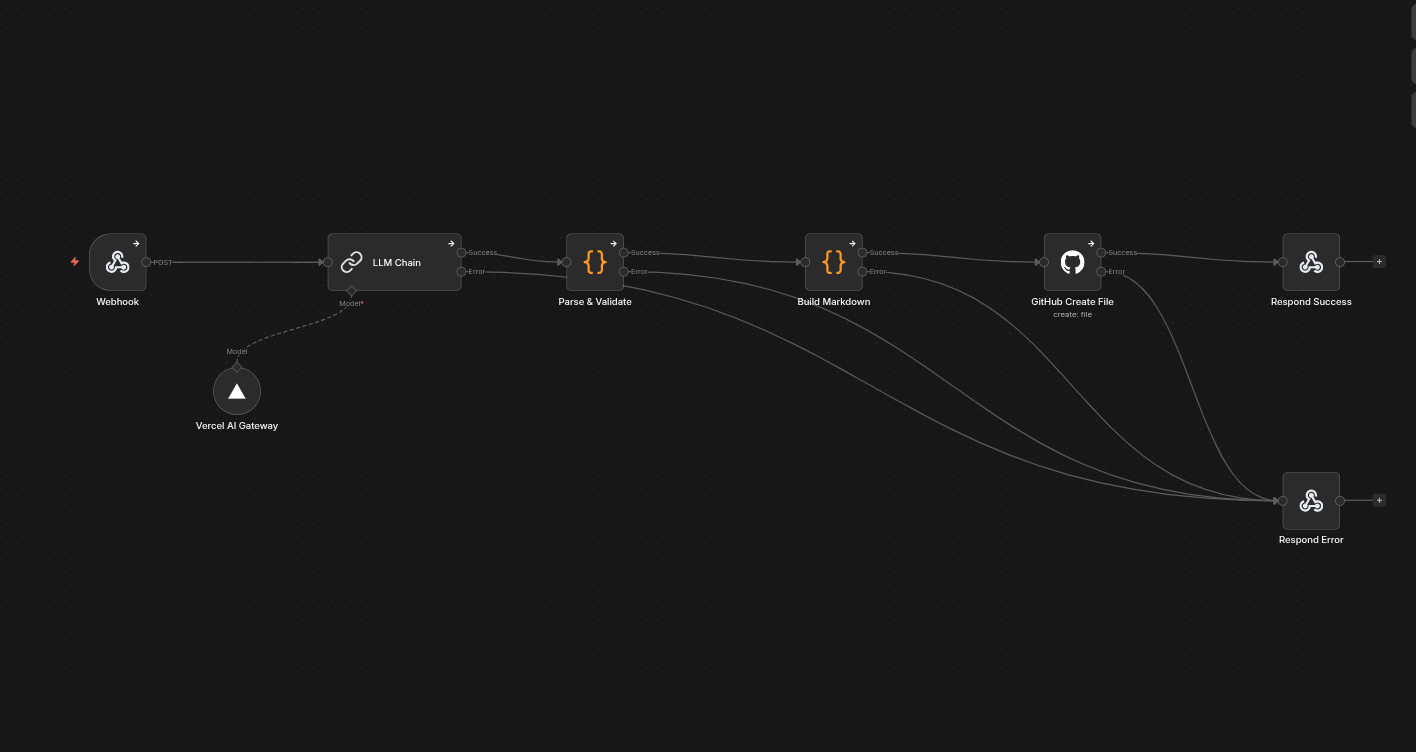
Apart from a few LLM parameters to tweak, Claude Code handled the entire workflow creation without any issues.
The verdict
A project that would have taken me at least a full day 2 years ago (research, Chrome extension, n8n workflow) took me about 30 minutes. And most importantly, aside from a few minor bugs, it worked almost on the first try.
The difference with my previous attempts comes down to three things: models that produce reliable code, a tool like Claude Code that can iterate on an entire project (with its MCPs, its plan mode), and above all the workflow you put in place. You start in plan mode, Claude Code analyzes the need and suggests technical choices that you challenge together. Development happens task by task with manual validation at each step, you keep control while delegating the code. When a bug shows up, you describe it, it’s fixed in a few minutes. It’s this loop of planning, assisted development, human validation and fast iteration that actually makes it work.